
Meet LandoBot.
LandoBot is the cat-inspired AI assistant built into RumbleForms. Describe the form you need, ask for a change, or get help with an enquiry. When an action uses AI credits, you get to review it and approve the cost.

How to use LandoBot
Choose the task you want to do. Select any screenshot to see the controls up close.
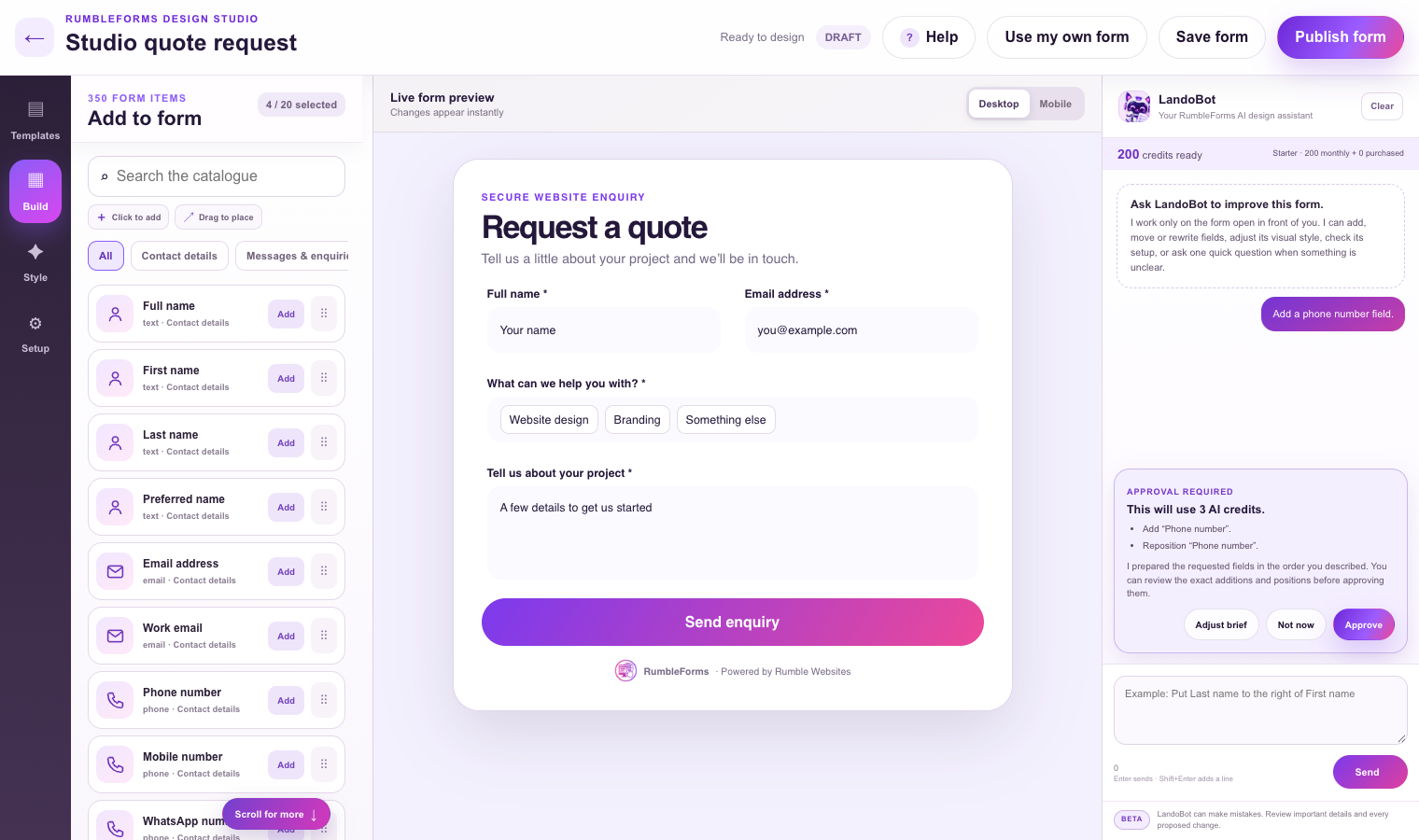
Create a form from a brief.
In My Contact Forms, choose Create a New Contact Form and select Generate a form with AI.
- Tell LandoBot about your business and who will fill in the form.
- Choose the form’s purpose and list the details you need to collect.
- Pick a visual style, review your brief and generate the plan. Review the proposed fields and wording before you approve and open the editable design.
Example brief“Build a quote enquiry for my web design studio. Ask for name, email, project type and a short description.”
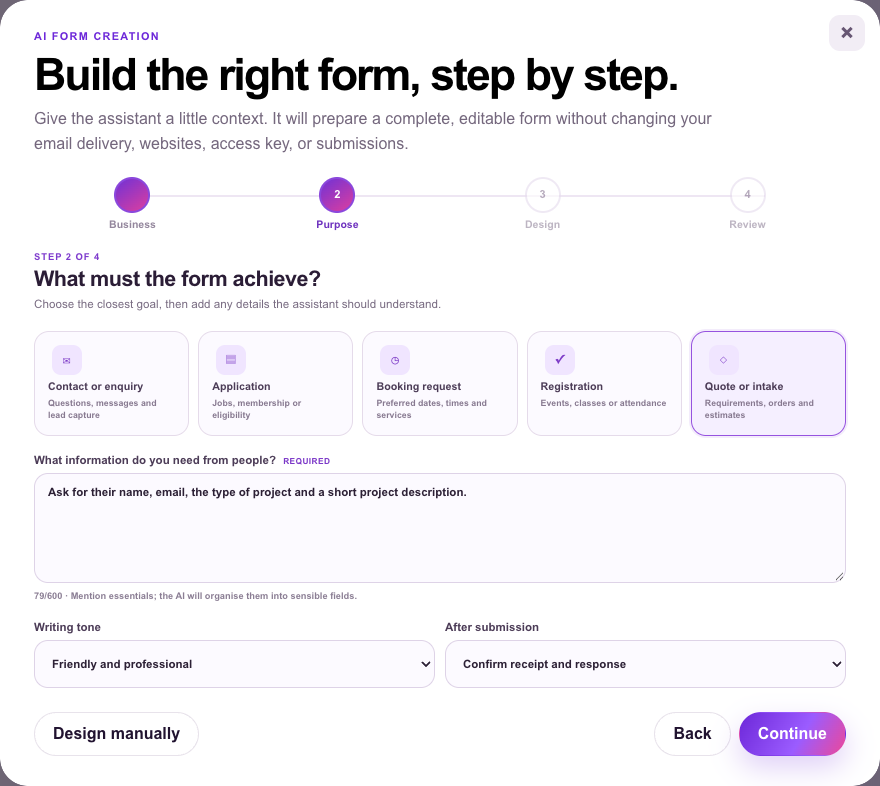
Ask for an edit and review the plan.
Open a saved form in the Form Builder. LandoBot can work with the fields, order and styling of the form open in front of you.
- Use the chat beside the live preview. Name the field and say what you want to change, for example, “Add a phone number field.”
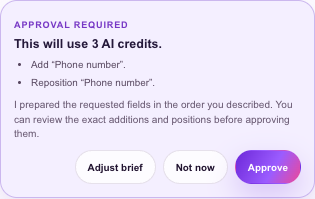
- Check the proposed changes and credit cost. If the brief is unclear, answer LandoBot’s follow-up question.
- Choose Approve to apply the change and check the updated live preview. Choose Not now to decline.
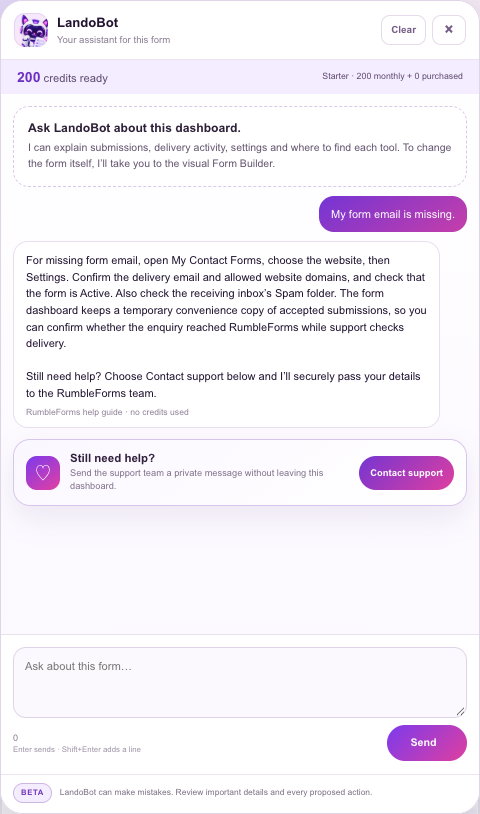
Get help with your dashboard.
Open a form’s dashboard and select the cat icon. Ask where to see submissions, what a delivery status means or where to find a setting.
- For common problems, LandoBot can show troubleshooting steps from the RumbleForms help guide.
- If you still need help and Contact support appears, use it to send the issue to the RumbleForms team.
- To change the form’s fields or style, use Open Form Builder and continue from that form’s builder chat.
Draft a reply to an enquiry.
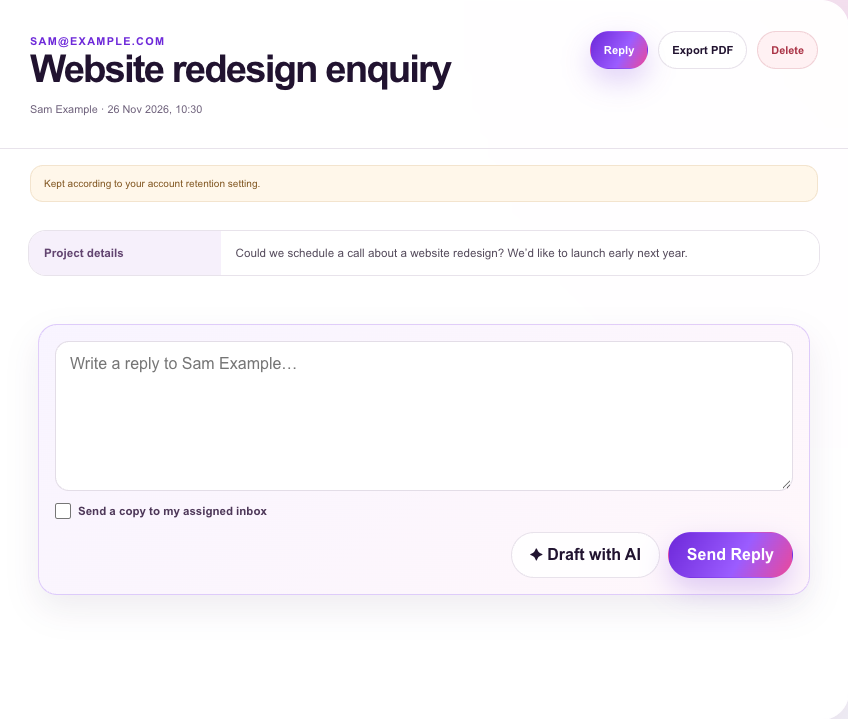
Go to Submissions, open a message and choose Reply, then Draft with AI.
- Confirm that LandoBot can use the selected submission and tell it what the reply should say.
- Review and approve the credit cost. The draft appears in your reply box.
- Read and edit the draft, then choose Send Reply when it is ready.
Example instruction“Thank them for the enquiry and ask which days suit them for a short call.”
AI credits on every plan
Basic conversation, clarifying questions and help guide answers use no credits. Form generation starts at 5 credits. For paid actions, LandoBot shows the cost for you to approve.
Compare RumbleForms plans- Free
- 30
- Starter
- 200
- Premium
- 1,000
- Professional
- 5,000
LandoBot FAQs
Find out where to open LandoBot, what information it uses and when credits apply.
Try LandoBot free Already signed up? Open My Contact FormsWhere do I open LandoBot?
Open a saved form in the Form Builder to see LandoBot beside the live preview. On a form’s own dashboard, select the cat icon to open the help chat.
Can I use LandoBot on the Free plan?
Yes. Free includes 30 AI credits a month. Your plan’s form item limits and styling options still apply when LandoBot helps you build a form.
What can I ask it to change?
Ask it to add, rename, remove or reorder a field, update wording, or adjust the form layout and styling. For a more precise result, name the field and describe where it should go.
Does LandoBot work across all my forms at once?
Each assistant conversation is attached to one saved form. Open the form you want to work on before asking for an edit.
What if I don’t want the proposed changes?
Choose Not now. The proposed paid action is dismissed without using credits. You can send a more specific request if you want a different result.
How do I match a form to my website?
In the guided creation flow, open Match my existing website under Design. Enter a public page you control or are authorised to use. Website analysis adds 2 credits to the generation cost.
Can I keep editing a form made with LandoBot?
Yes. The result is an editable RumbleForms design. Keep working in the Form Builder and use its normal preview and publishing tools.
Will LandoBot send a reply to my customer?
Draft with AI puts a draft in your reply box after you approve. You review the wording and send it from the inbox using Send Reply.
Can I buy extra AI credits?
Starter, Premium and Professional can buy top-ups in the Dashboard Store. Purchased AI credits expire 12 months after purchase.
What should I do if LandoBot’s answer is off?
Check the details before approving, then clarify your request or edit the form manually. If you’re stuck on a setup or account issue, use the help chat or contact the RumbleForms team.